Find your flow.
Start the timer.
Start, stop or restart a timer in a few taps. On Mac, keep an eye on your running time right from the menu bar.
 kimaicompanionMeet your companion
FOR MAC, IPHONE & IPAD
A little companion for your working day. Keep your Kimai timers, projects and timesheets close, wherever work takes you.
Your Kimai server. Your familiar workflow.
MAKE ROOM FOR YOUR WORK
All the essentials for keeping time, without breaking your concentration.
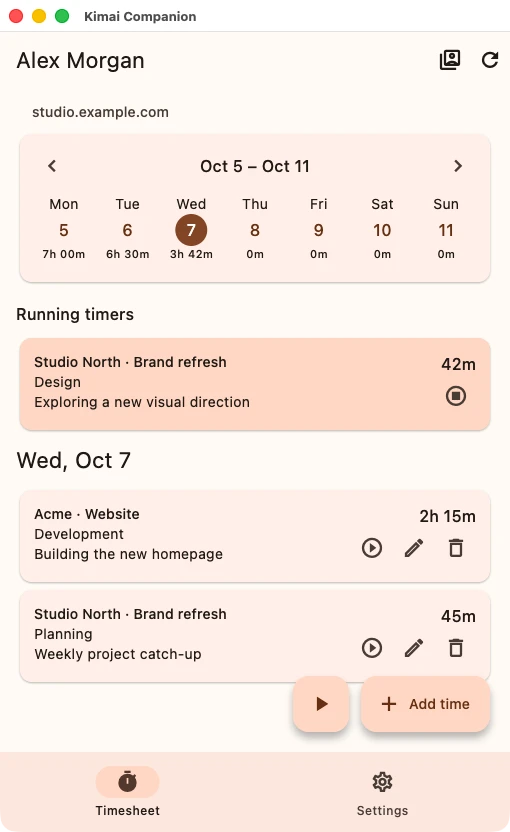
Start, stop or restart a timer in a few taps. On Mac, keep an eye on your running time right from the menu bar.
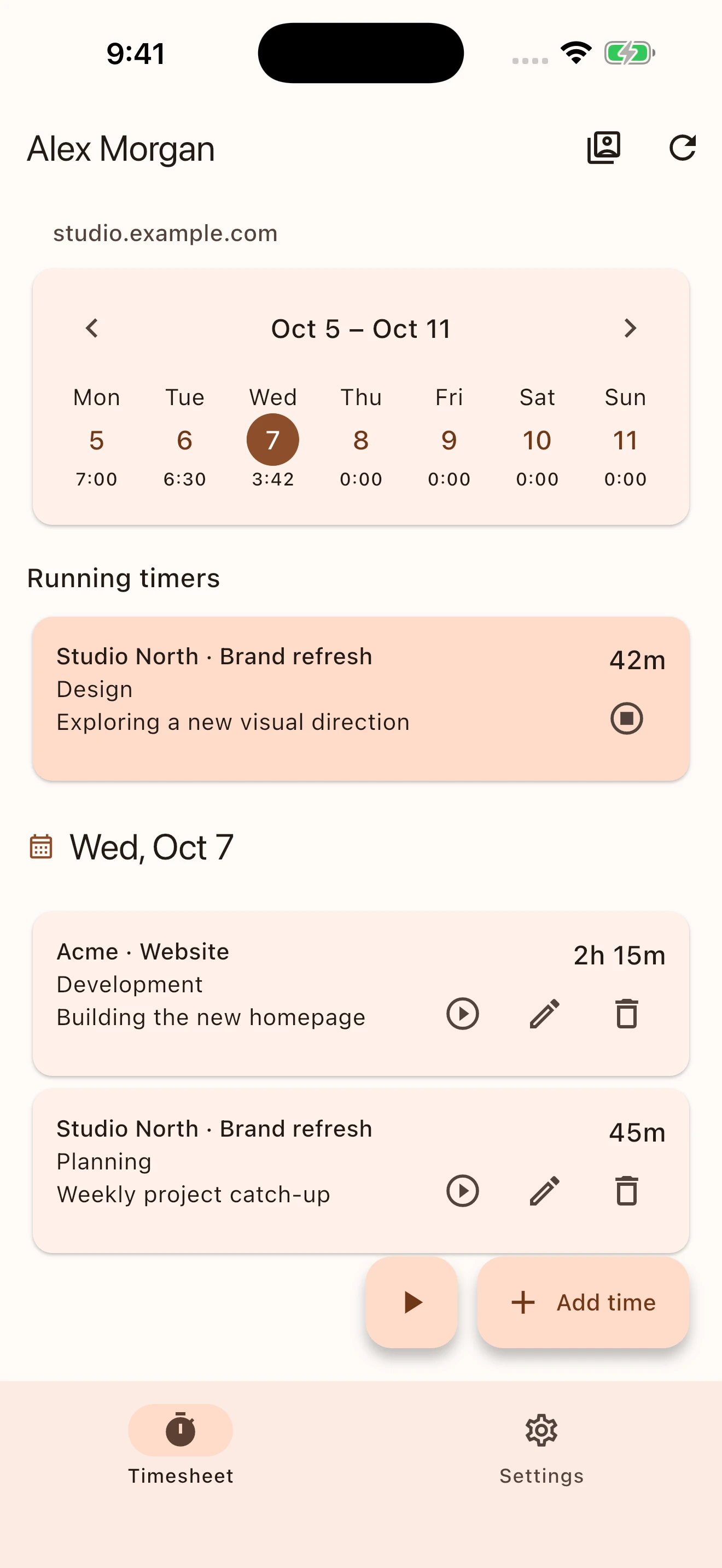
Browse your week, check daily totals and add or edit time entries. Customers, projects and activities stay connected to Kimai.
Save multiple Kimai accounts and switch between them. Your other timers keep running while you focus on the account in front of you.
A FAMILIAR PLACE FOR YOUR TIME
Thoughtful on a small screen.
Comfortable with a little more room.
Your running timer, daily entries and weekly overview, together in one place. Pick up where you left off.
View full screenshot (opens in a new tab)Actual app screens · Illustrative account data
A LITTLE MORE PERSPECTIVE
Give your timesheet some space on iPad. The month calendar and your day's entries sit side by side, making it easy to move between dates.
Made for iPad, too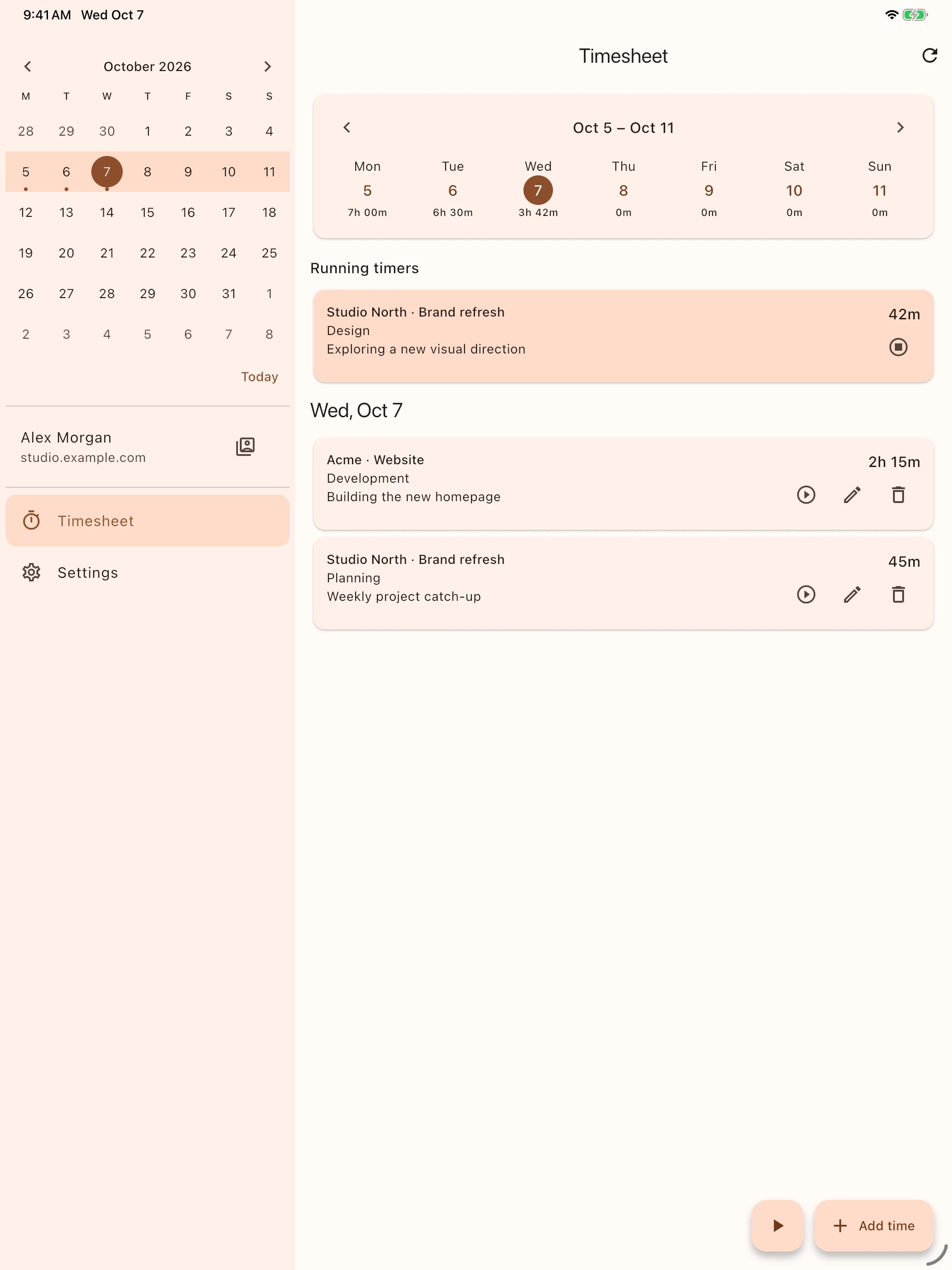
YOUR WORK, CONNECTED
Connect to your existing Kimai installation using its HTTPS address and an API token. Your entries stay in Kimai, and your credentials are stored securely on your device.
Timer changes refresh across your devices while the app is active. Choose light, dark or system appearance to make yourself comfortable.
Help getting connectedA LITTLE COMPANION. A BETTER DAY.
Coming to the App Store for Mac, iPhone and iPad.